
How to Syndicate Content: A Technical Overview

Welcome to the under-the-hood view of content syndication!
The context: NEA wanted to support on-platform affiliates by making select content available for syndication on their websites. A great idea—but only if we could design a system that was user-friendly and self-sustaining. This meant the technical architecture needed to be grounded in usability and efficiency. We established these core requirements:
- A clean interface for affiliates
- An efficient and scalable structure
- A quick view of usage metrics for the national team
These requirements turned into a content syndication dashboard and syndication tracking dashboard. Here's how we did it.
Requirement: A Clean Interface for Affiliates
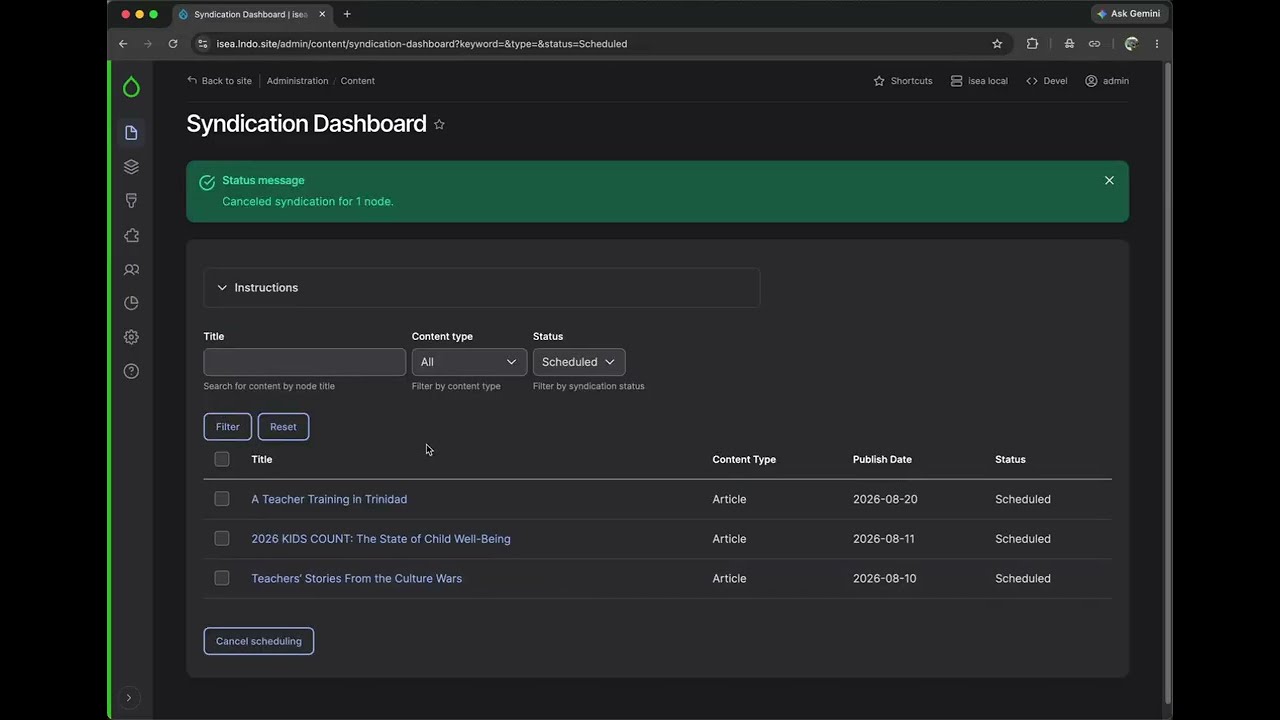
It all happens on the Syndication Dashboard. The Syndication Dashboard contains a list of all the content from the national site that is available for syndication. It allows affiliates to syndicate the content they want, when they want it.

Dashboard Data
Affiliate staff can also use the dashboard to review:
- content they've already syndicated
- content that's scheduled for syndication, and
- content that has been marked as "skipped".
(Content marked as skipped is kept out of the default view, so that affiliates only see content that they’re interested in syndicating.)
Check out this 4-minute video of the dashboard in action, along with a look at the filtering options.
Editor Workflow
Staff can click the link in the Title to review the full content on nea.org, and use the filters to narrow down the list of content.
To schedule a piece of content for syndication, staff:
- Select the checkbox for the content they want to syndicate
- Click "Schedule for syndication"
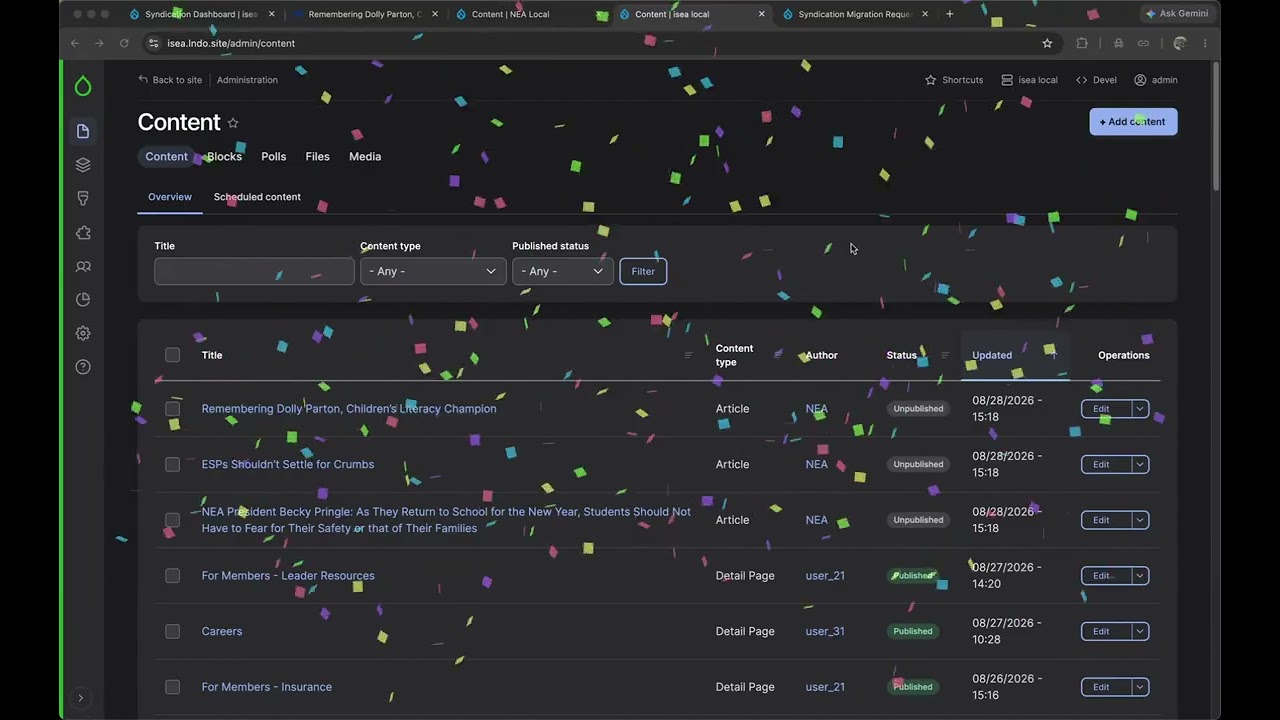
- Publish syndicated content from Drupal's regular Content page. (Content that has been syndicated is assigned to the “NEA” author, which makes it easy to identify.)

That’s it! Once a day, the system checks to see if any content has been scheduled for syndication and copies it over. No further intervention is needed from either affiliate or national staff.
Requirement: Efficient & Scalable Architecture
Start with the Migrate Module
After looking at a few other options, we decided to use Drupal core's Migrate module to perform the work of syndicating content. Migrate has several advantages over other solutions:
- It’s built for transferring content. Using Migrate to transfer content from one Drupal site to another is a primary use case for the module.
- It’s part of Drupal core. Migrate has an inherent understanding of Drupal and receives regular updates along with the rest of Drupal core.
- It's a mature tool. Migrate is stable, well-documented, and well-understood by Capellic and the Drupal community.
- It can handle content updates. Although pushing updates to content that’s already been syndicated was not part of the initial scope of work, the Migrate module has built-in support for handling updates. We wanted to be covered in case that need ever arose (narrator: "It did.").
Finally, as Anna pointed out in her insight, NEA has an extensive list of criteria governing what can and cannot be syndicated. Migrate gives us tons of control over how syndication happens:
- We can omit images that aren't available for syndication due to licensing issues, whether they appear in standalone fields or are embedded in the WYSIWYG.
- We can syndicate some components – in whole, or even in part – but not others.
- We can make most content of a certain type eligible for syndication, but prohibit certain subtypes. For instance, only the national site has book recommendations, which are a special type of Resource.
Automate the Automation: Drush, Robo, & Cron Jobs
So we've written our migration scripts and affiliates have used the dashboard to request some content. But how do we get that content from national to the affiliates? And how do we manage the process for 30+ affiliates who can syndicate content from nea.org?
We put together three pieces of technology to make content syndication completely automated, while also keeping it manageable for a large and growing number of affiliates.
- Drush. Drush is a tool that lets you run commands on a Drupal site. You can use those commands in a one-off fashion, or you can write your own commands that package up a set of tasks.
- Robo. Robo is conceptually similar to Drush, but lets you perform more general tasks that don't necessarily have anything to do with Drupal.
- Cron jobs. A "cron job" is just a task that runs on a set schedule (twice an hour, once a week, etc.).

OK, deep breath. How do these pieces fit together?
First, we created a Drush command that looks at what an affiliate has asked to syndicate and migrates that content. That's great, but Drush only operates against one site at a time. This is where Robo comes in: we created a Robo command that says, "Go to each affiliate site, one after the other, and syndicate whatever content they asked for". Finally, we set up a cron job to call the Robo command once a night during off-hours.
The result is that we have one cron job (not 30) that handles syndicating content for all the sites. And if we add a new affiliate site, we're covered: our Robo command will automatically find it and add it to the job.
Here's a demo of the command in action, in just 7 minutes
Keep the Dashboard Current with API calls
Of course, the content available in the syndication dashboard changes regularly. New content is created, while existing content is unpublished, deleted, or changed in other ways that make it ineligible for syndication. For example, content that had previously been public may be put behind a password, at which point it should no longer be available for syndication.
To make sure that no ineligible content gets syndicated, we "refresh" the affiliate dashboards just before syndication. To do that, we make an API call to the national site to get the current list of eligible content. Anything that's not in that list gets removed from the affiliate's dashboard (which, behind the scenes, is just a special database table.) This model ensures that content that became ineligible since the last dashboard update won't ever get syndicated.
Update Previously Syndicated Content
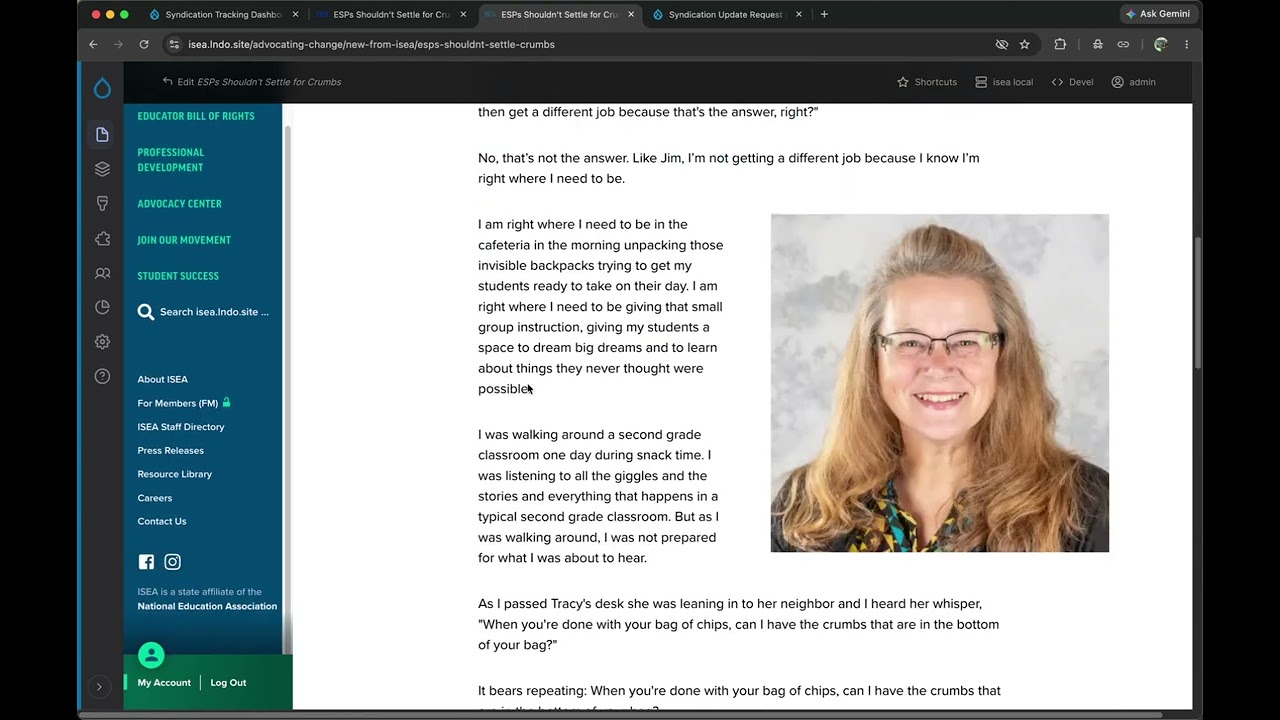
Remember how I mentioned that one of Migrate's benefits is that it supports updating content that has already been syndicated? A few years after the initial syndication work, we decided to implement that feature. Now, whenever the national office updates a piece of content that's been syndicated, voilà! That content is also updated on the sites of any affiliate that has it. It’s a little bit like magic.
As when content is initially syndicated, we build in a delay before the updates are pushed out to the affiliates. A delay is particularly sensible for handling updates, since a piece of content might be saved several times over a short period (dotting an i here, fixing a typo there). And of course, the whole system is automatic: content editors don't need to know that the content they're editing has been syndicated, and affiliates don't need to remember to check for updates.
See the magic in this 3-minute video.
Requirement: Metrics for National
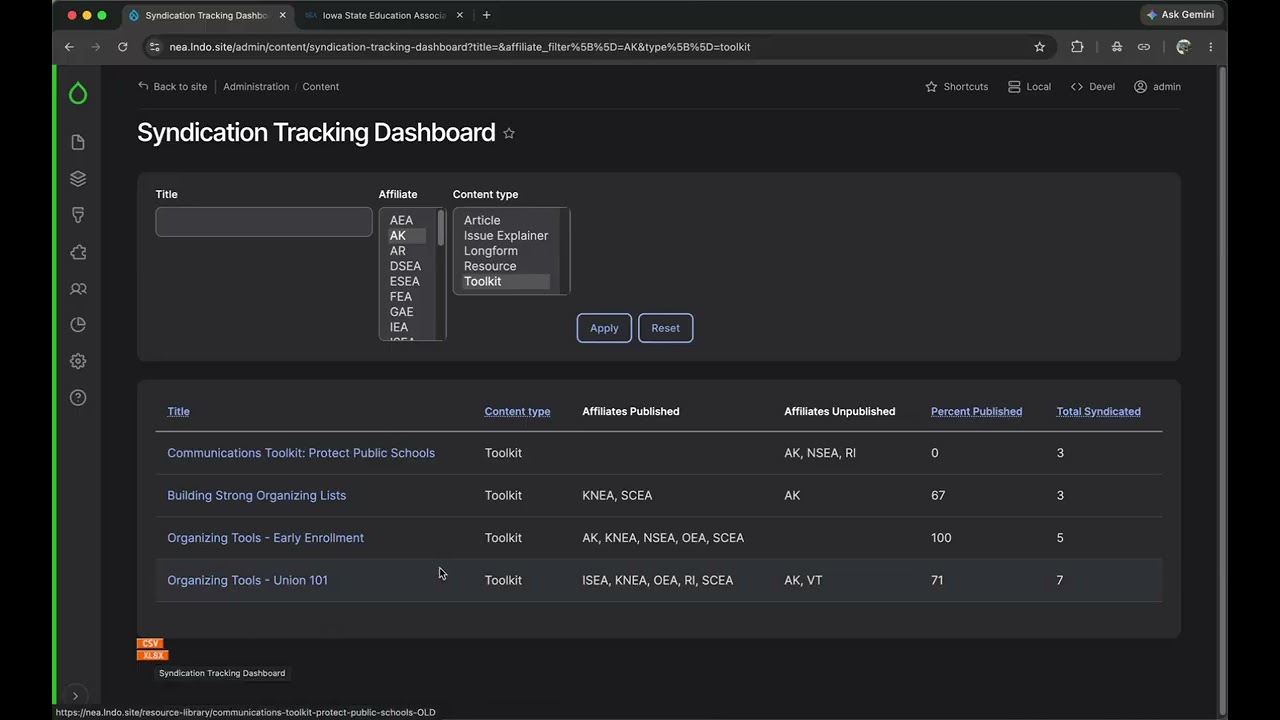
The national office needs to know who is syndicating what content. To address this reporting need, we built what we’ve called the Syndication Tracking Dashboard.

The dashboard contains three measurements for each piece of content:
- Which affiliates have syndicated it
- How often it’s been syndicated
- The percentage of affiliates who have published it (remember that content initially comes over as unpublished)
The tracking dashboard is updated in real time, and can be exported to CSV and XLSX.
Here's a 3-minute video of the dashboard in action.
While it took a lot of planning from all corners, the effort has been worth it: since the syndication project launched, NEA affiliates have syndicated thousands of pieces of content, easing the content generation burden for affiliates and increasing the reach of national's message.

